Safety that stays visible
Share an unsafe situation immediately with a photo attached, so every shift knows about it before something goes wrong. Safety stays part of the conversation, instead of a bullet point on the monthly meeting agenda.
Important information hangs on the bulletin board in the break room, sits in an email operators never read, or gets passed along in a five-minute handover. With EZ Feed, you reach everyone on the floor at once, in the same app they're already working in.
Trusted by
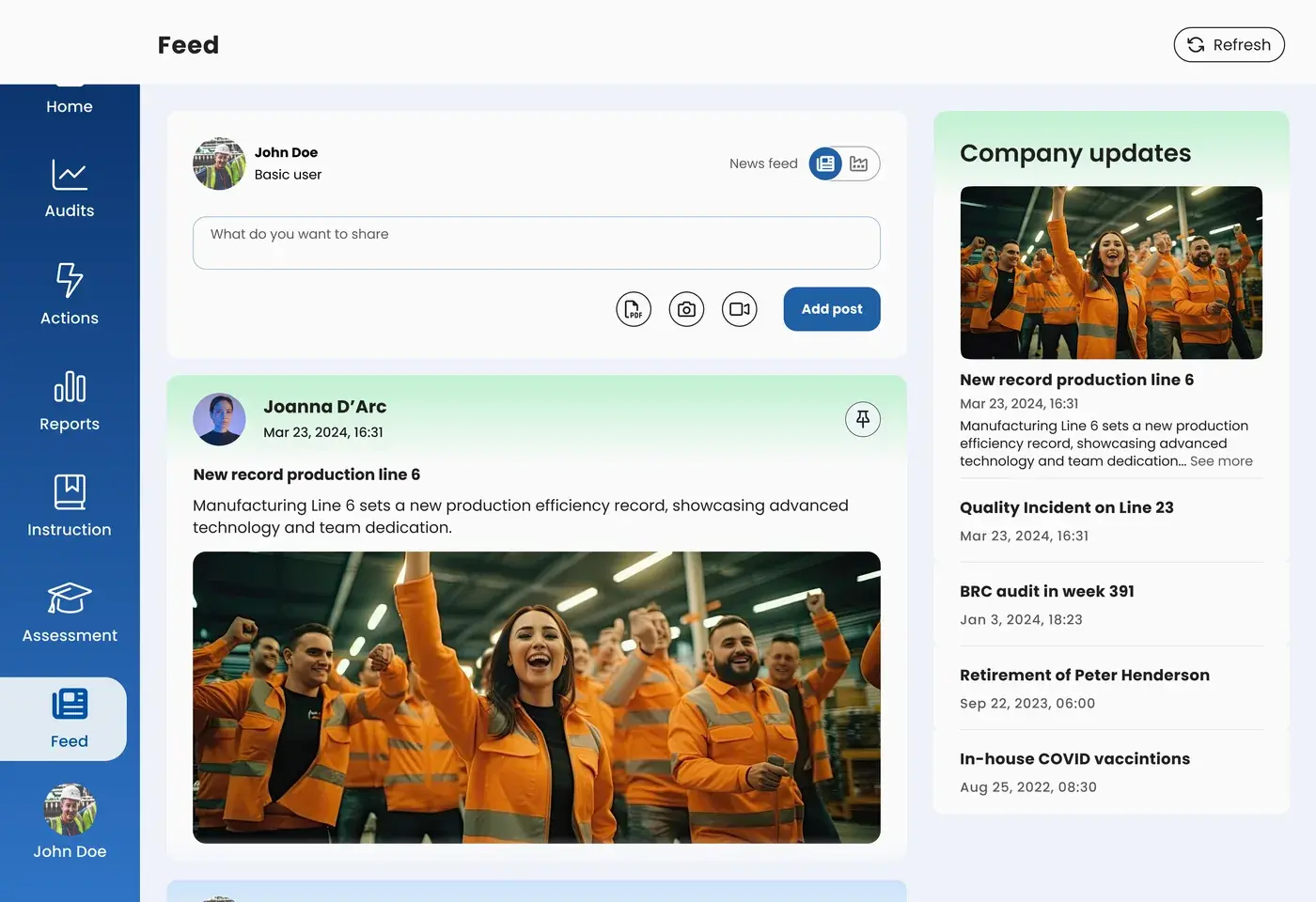
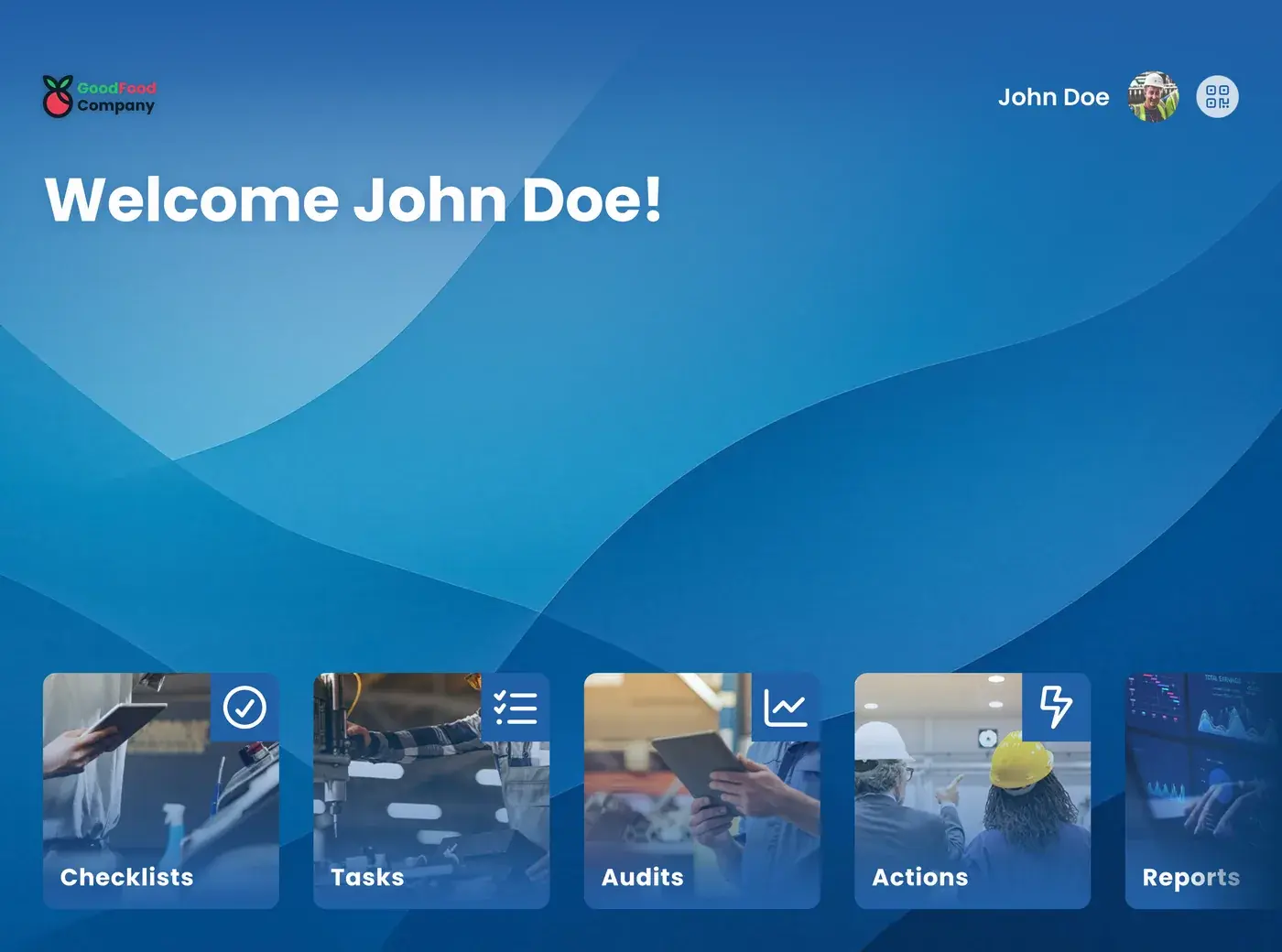
EZ Feed is the timeline within the EZ-GO platform where you share information with everyone on the shop floor: a safety notice, a changed work instruction, a quality issue, or a result the team is proud of. Posts appear with a photo or video in the same app operators already use for their checklists, tasks, and instructions, and stay available to read back later in the timeline. Operators can post, comment, and like themselves, so information doesn't just flow top-down, it flows from the floor back to the organization too.
You update the procedure, you adjust the work instruction, and then? At most plants, the notice ends up on the break room board, sits in an email the operator never opens, or someone walks the floor with a paper form to get people to sign that they've read the change.
Meanwhile, the night shift is still working from the old version, one department has no idea what another just solved, and the operator who reported the same issue three times never hears anything back.
A hazardous situation someone spotted but had nowhere to put. A changed quality check that only becomes known after two shifts. An improvement suggestion that never got picked up, so next time no one bothers reporting anything at all. Engagement doesn't disappear all at once, it erodes message by message that never got a response.
Share an update about safety, quality, or a changed work instruction, with a photo or video attached. Operators can post too.
The post shows up in the app on the tablet or phone, in the same environment as the checklists and tasks. Visuals also work when someone doesn't yet speak the working language fluently.
Colleagues comment, like, or add to it. The timeline stays saved, so anyone coming back from vacation can simply read back what happened.
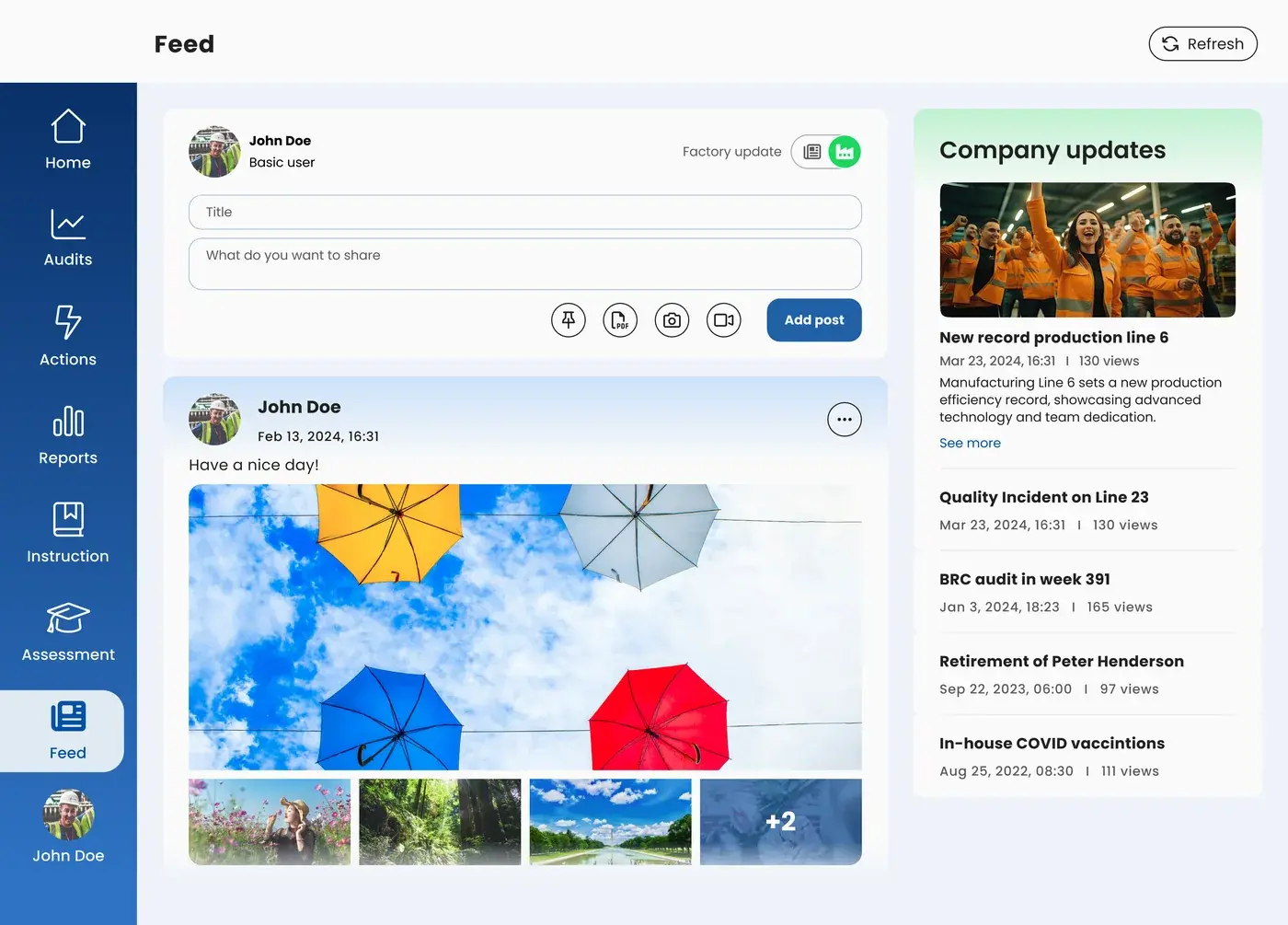
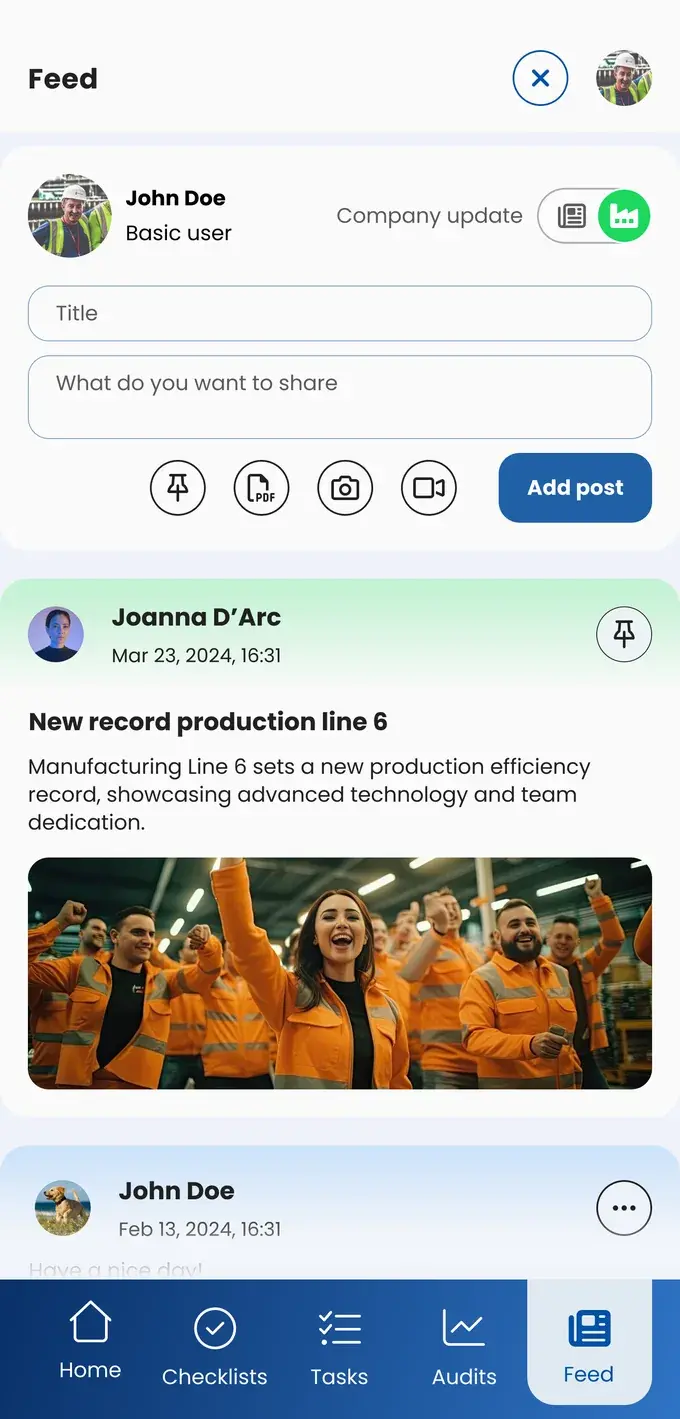
Share an unsafe situation immediately with a photo attached, so every shift knows about it before something goes wrong. Safety stays part of the conversation, instead of a bullet point on the monthly meeting agenda.
A changed check or an updated work instruction reaches every shift at the same moment. No two versions of the truth between day and night shift.
Departments like production, QESH, HR, and maintenance share what's going on in the same environment. That saves phone calls back and forth, separate group chats, and information that gets stuck with one department.
New employees can read back through the timeline and see what happened, which problems got solved, and how the team works. Photos and video make it easy to understand, even without fluent command of the working language.
In EZ Feed, it's not just management that shares updates. An operator can report a success or an unsafe situation himself, suggest an improvement, or show what his shift is proud of. Information flows both ways.
When someone sees that his post gets read and that something actually happens with it, he'll report again next time. That's the difference between a team that thinks along with you and a team that just shrugs.
Or request the business case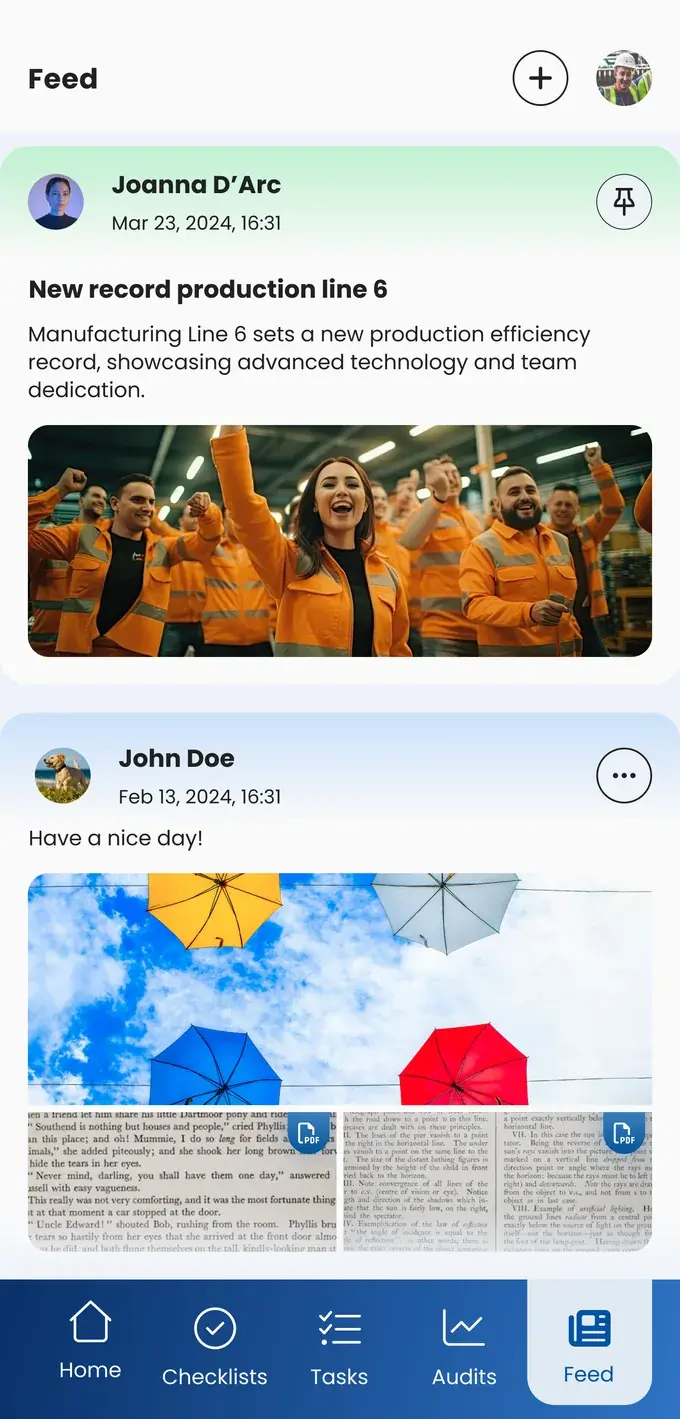
Share breakdowns and fixes between shifts, so the same problem doesn't get diagnosed twice.
Keep every shift up to date on changes to hygiene and quality rules.
Report unsafe situations instantly with visuals, so every shift knows.
Make housekeeping and safety visible with before-and-after photos of the floor.
Communicate procedure changes to everyone involved, with proof that it happened.
Everyone can create content in EZ-GO.
EZ Feed lives inside EZ-GO, where operators are already working, alongside their checklists, tasks, and work instructions. Posts stay in the work environment instead of on a personal phone, and the timeline stays available for anyone who joins later.
Yes, and that's exactly the point. That way, information flows both ways: from the organization to the floor, and from the floor back.
Photos and videos carry most of the message. That means a post gets through even to someone who's still learning the language.
No. You can start posting right away.
Take the free shop floor scan and see within two minutes how information currently reaches your floor, with three concrete improvement points.