

Safety you can track
See whether safety rounds and critical checks are actually being carried out, and where they structurally fall behind.
Checklists, tasks, and audits are carried out every day in the EZ-GO platform. In the reporting, you see in a few clicks how that's gone over the past weeks, where things structurally go wrong, and where improvement delivers the most value.
Trusted by
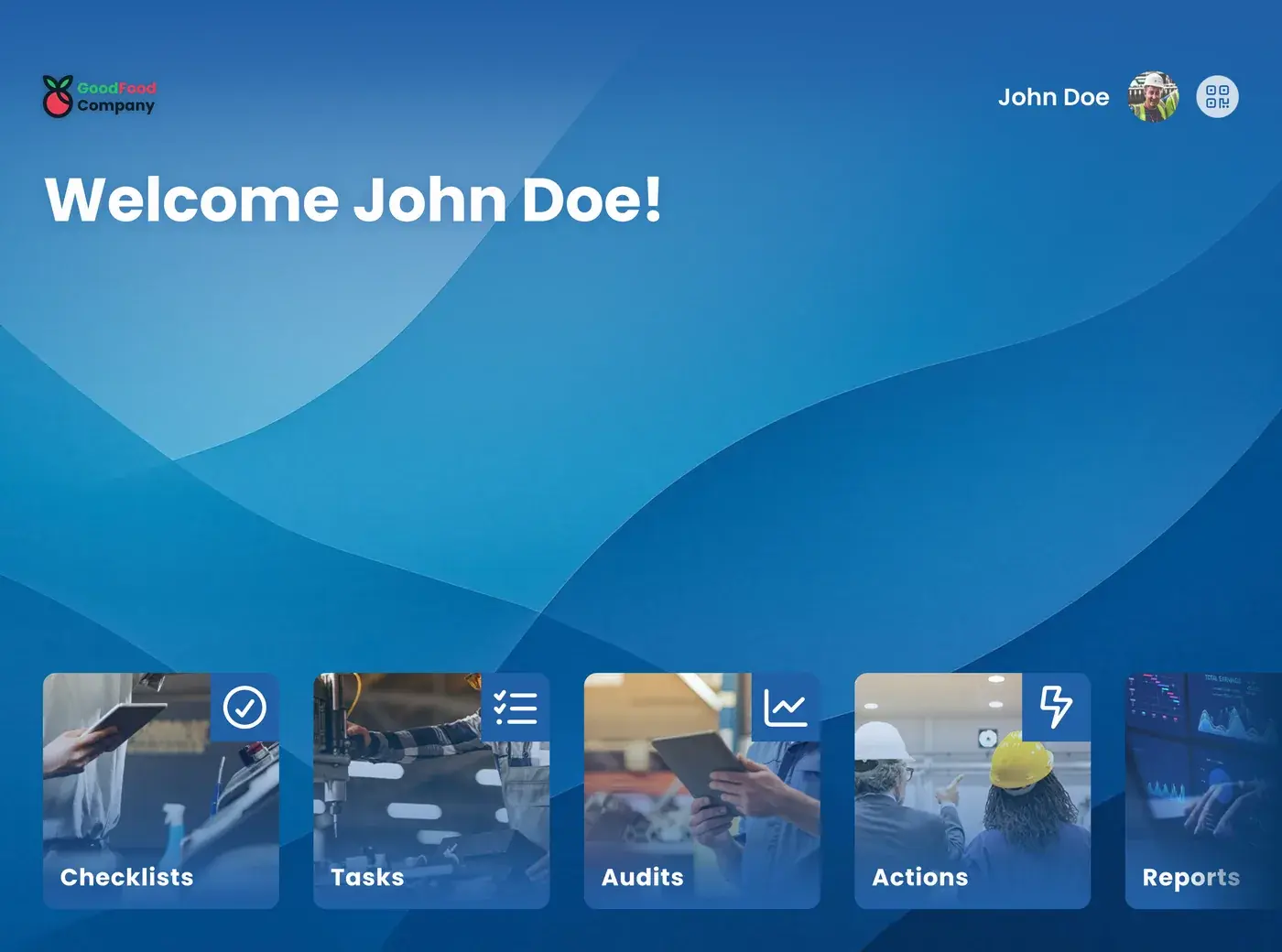
Reporting is the built-in visualization of all the data generated in the EZ-GO platform. Every scheduled task, completed checklist, and finished audit produces data, and that comes back as an overview. You open the reporting and see, for example, how task execution has gone over the past twelve weeks, or which checks regularly get marked as not in order. That makes reporting the check step of the PDCA cycle: you've planned it and carried it out, here you see whether it's actually working.
The round has been walked, the checklist has been signed off, the audit is complete. But how often has that one check actually been marked as not in order? Is a particular shift structurally falling behind? And has that problem from last month been resolved, or is it still going on?
Without an overview, the answer stays a feeling. And you don't make a decision about your process based on a feeling.
You plan, you execute, and then you start over again. What you don't look back at, you can't improve. A check that's regularly been not in order for months just stays a checkbox on a list, until the day it goes wrong and someone has to dig back to see how long it had been going on.
The data from tasks, checklists, and audits is already there. You don't have to export or process anything.
Look at, for example, task execution over the past twelve weeks, and immediately see where it deviates from what you expected.
If one check keeps coming up as not in order, that's your next improvement point, backed by numbers instead of a hunch.
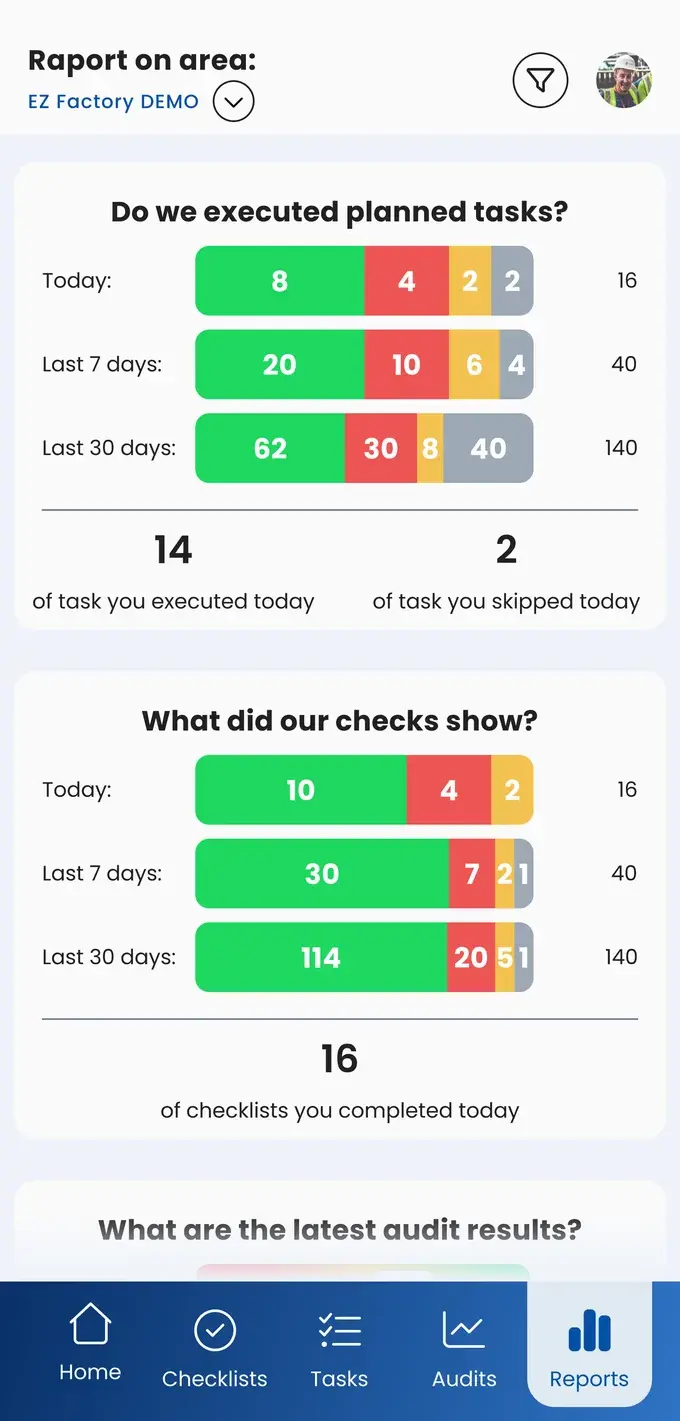
See whether safety rounds and critical checks are actually being carried out, and where they structurally fall behind.
Recurring deviations become visible as a pattern instead of a single incident. That's exactly what you need in a conversation with an auditor or a customer.
See where things stand in a few clicks, without spending half a morning in a spreadsheet. That saves prep time for every meeting.
With numbers on the table, the discussion is about what needs to happen, instead of whether the problem is even real. It's also immediately clear to a new team lead where attention needs to go.
Say a sensor check gets marked as not in order thirty times over twelve months. On any given day, that's a minor inconvenience each time: spotted, fixed, checked off. Added together, it's a pattern, and then the question changes. Do we need to inspect more often? Or does a different type of sensor need to go in?
That's what reporting adds to standard work. Not just seeing that it was carried out, but also where carrying it out alone doesn't fix the problem.
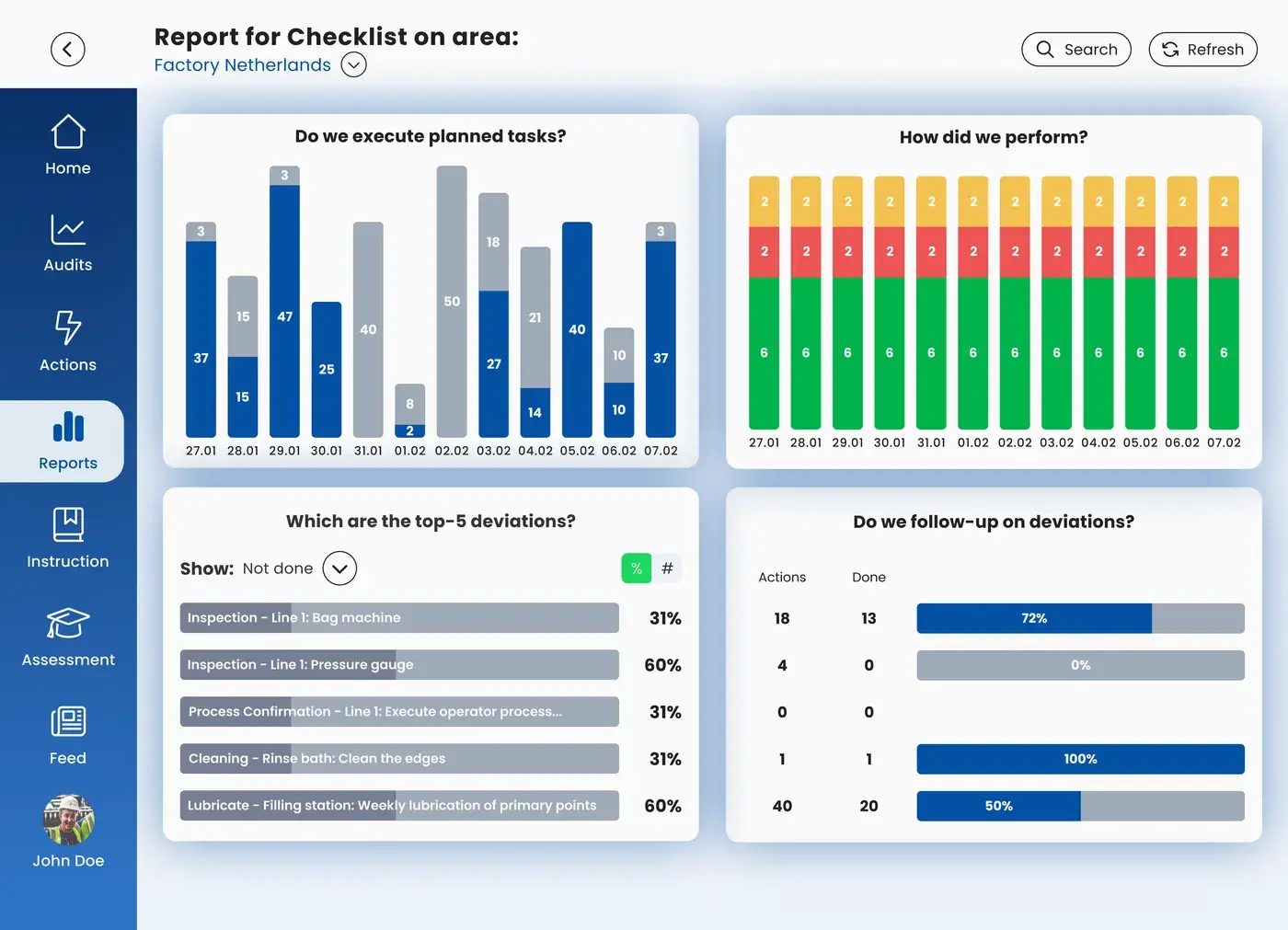
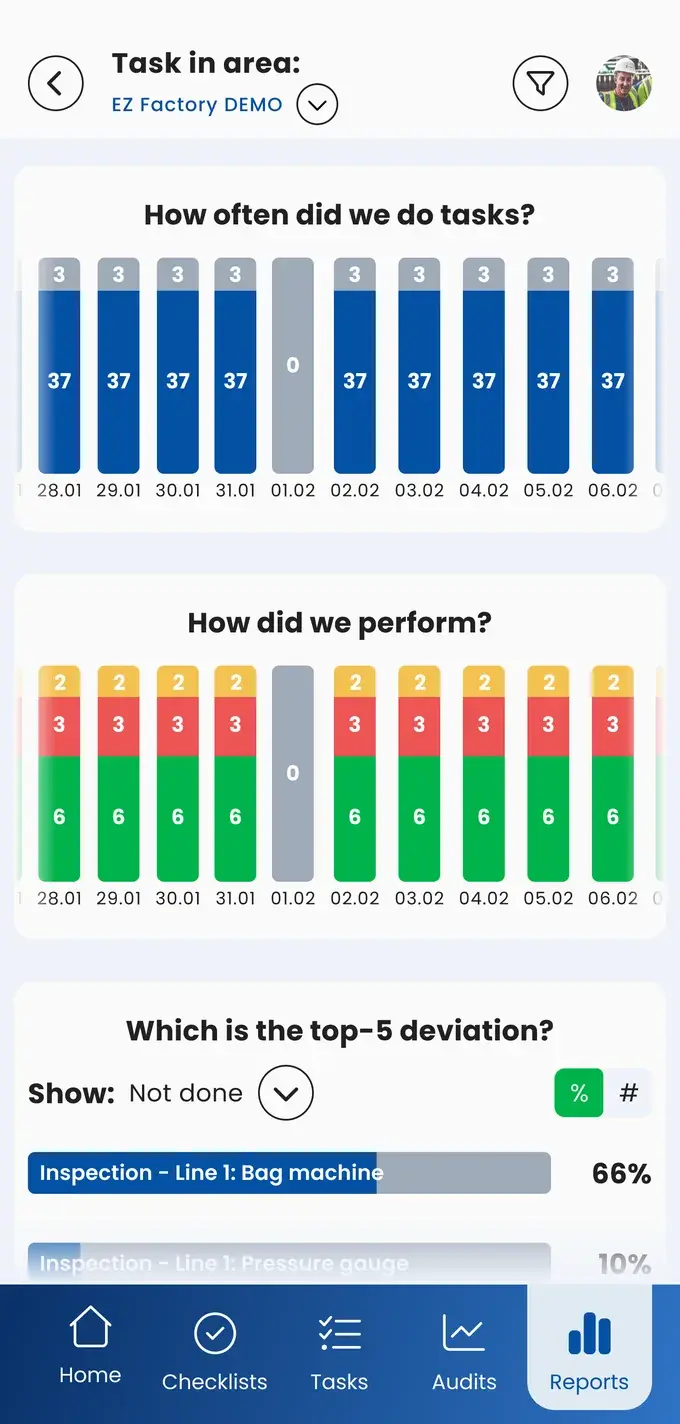
See whether autonomous maintenance on every line is actually being carried out.
Track hygiene checks across the weeks and see where the pressure points are.
Spot recurring deviations before they become an incident.
Compare departments on how they carry out their standard work.
Show that critical checks are being carried out consistently.
The data is used to improve the process.
The execution of checklists, tasks, and audits over a period you choose, plus the deviations that come out of it. Think of task execution over the past twelve weeks, or a check that's been marked as not in order thirty times in twelve months.
No. Reporting lives inside the EZ-GO platform itself. You open it and the data is already there, with no export or processing needed beforehand.
Reporting is the check step of the PDCA cycle. You see whether your standard work is doing what it's supposed to do, and where the pattern calls for a different approach instead of checking the same box one more time.
Everyone can view reports, but the areas visible may differ depending on the user.
Take the free shop floor scan and see within two minutes where your plant stands, with three concrete improvement points.