Skip to content

Your knowledge counts, and your work gets easier

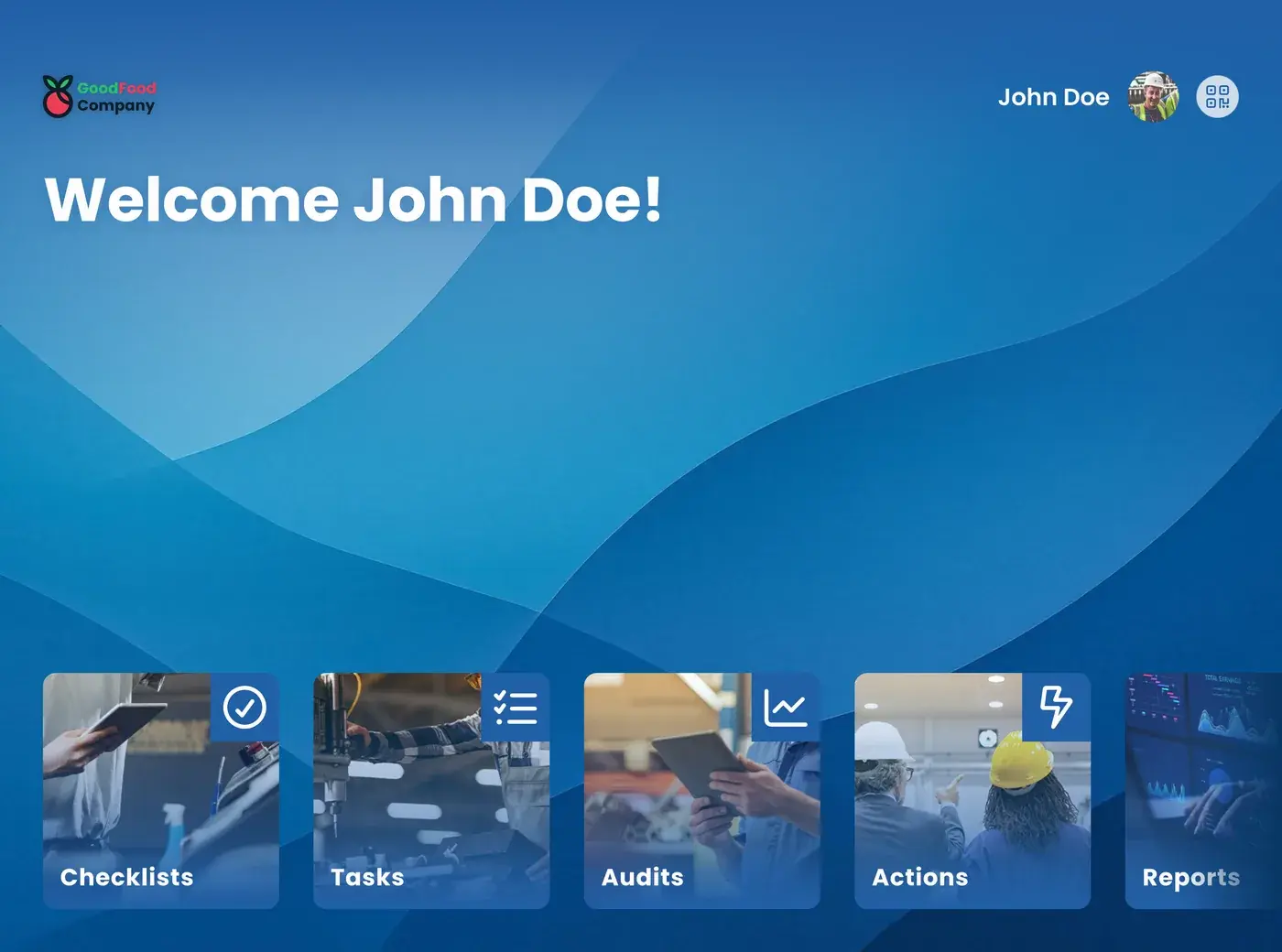
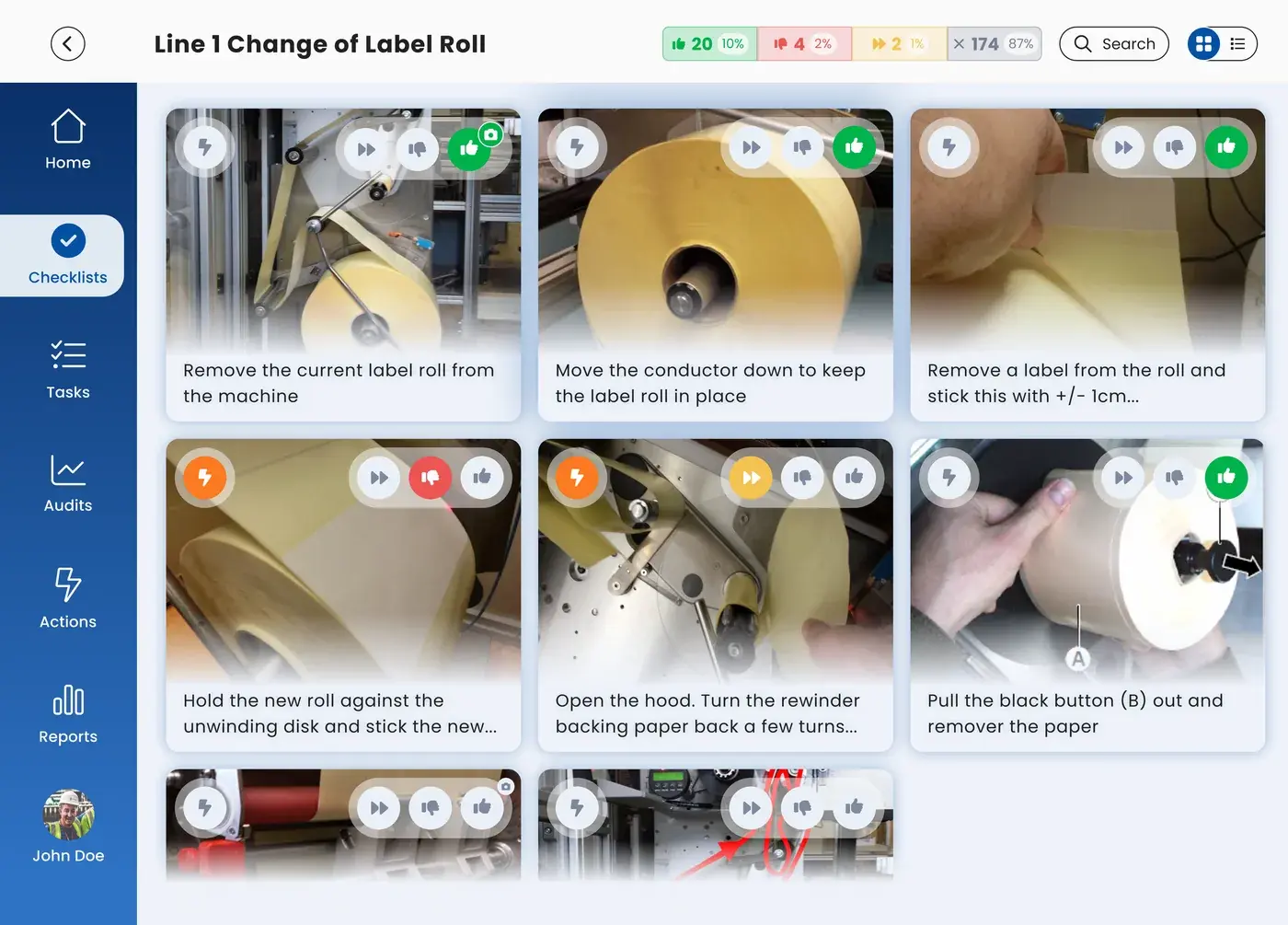
Start screen of the EZ-GO app on a tablet

You know your line better than anyone. With the EZ-GO app, you have the right instructions at hand in your own language, you report a problem in a few steps, and you see what happens to your idea. No extra admin, just less searching and fewer surprises.

Your shift, before and after

Moment Now With the EZ-GO app
Start of the shift

You ask a colleague what happened on the last shift, and you look for the checklist.

In the EZ-GO app, you see what the last shift handed over, and your checklists for this shift are ready.

A problem on the line

You tell your team leader, and you hope someone remembers it.

You report it in the EZ-GO app with a photo. You stay the owner and see what happens to it.

A task you rarely do

You search for the instruction or call the colleague who knows how it works.

You open the instruction for that task, with photos and videos, in your own language.

End of the shift

You tell the next shift what happened and hope it is passed on.

You record the handover in the EZ-GO app, so the next shift sees what happened.

Three things that change for you

You no longer search for the right instruction

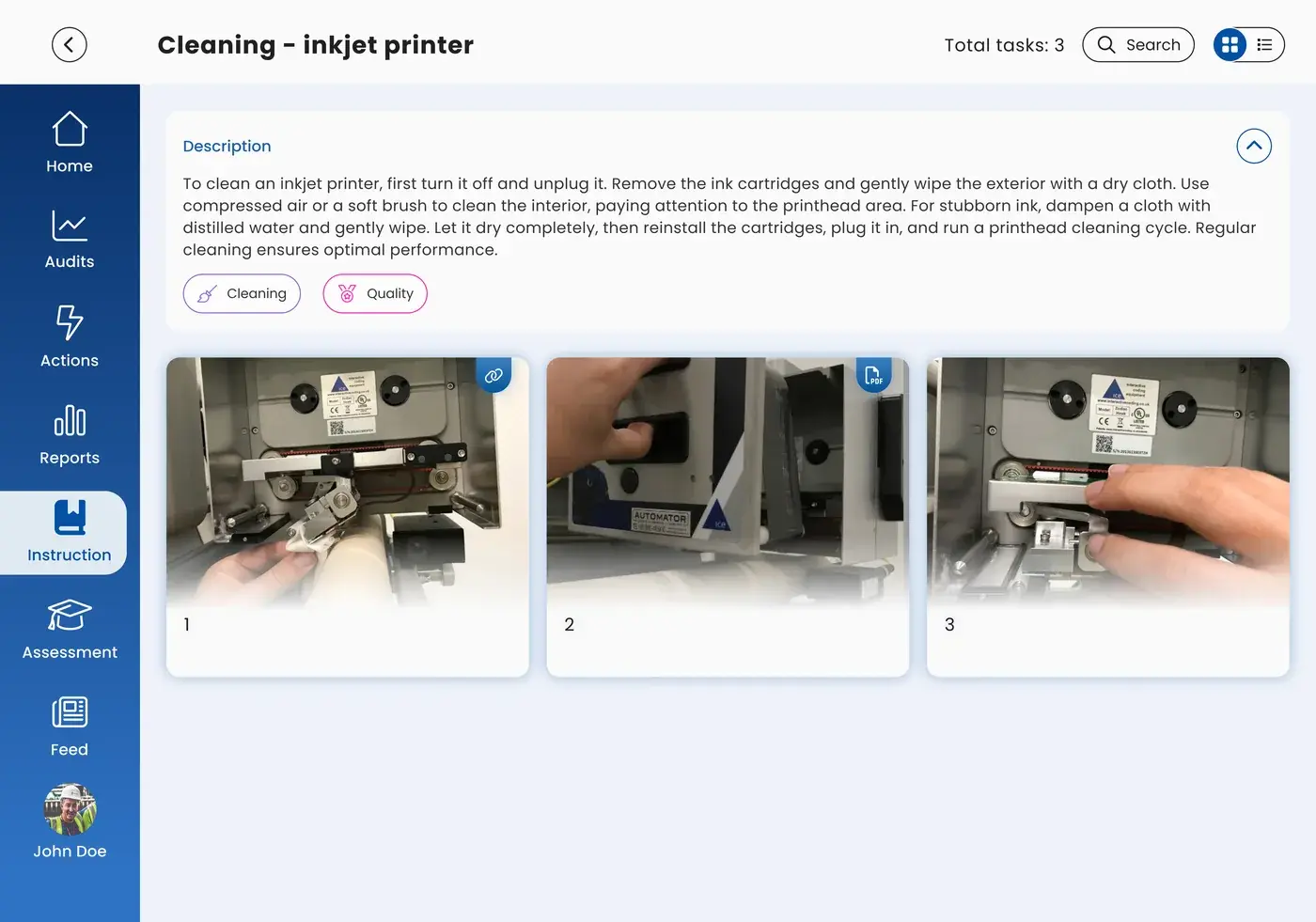
The instruction for your task is in the EZ-GO app, with photos and videos. With automatic translations, AI translates the text into your language. If you are new, you can work independently sooner. Read more on the Skills and onboarding page. Experienced colleagues spend less time explaining the same thing again. And when material gets stuck or a part works loose, an instruction for that problem lets you fix it yourself, without waiting for maintenance. Read more about onboarding the new generation of operators.

Work instruction with photos in the EZ-GO app

Your report does not disappear

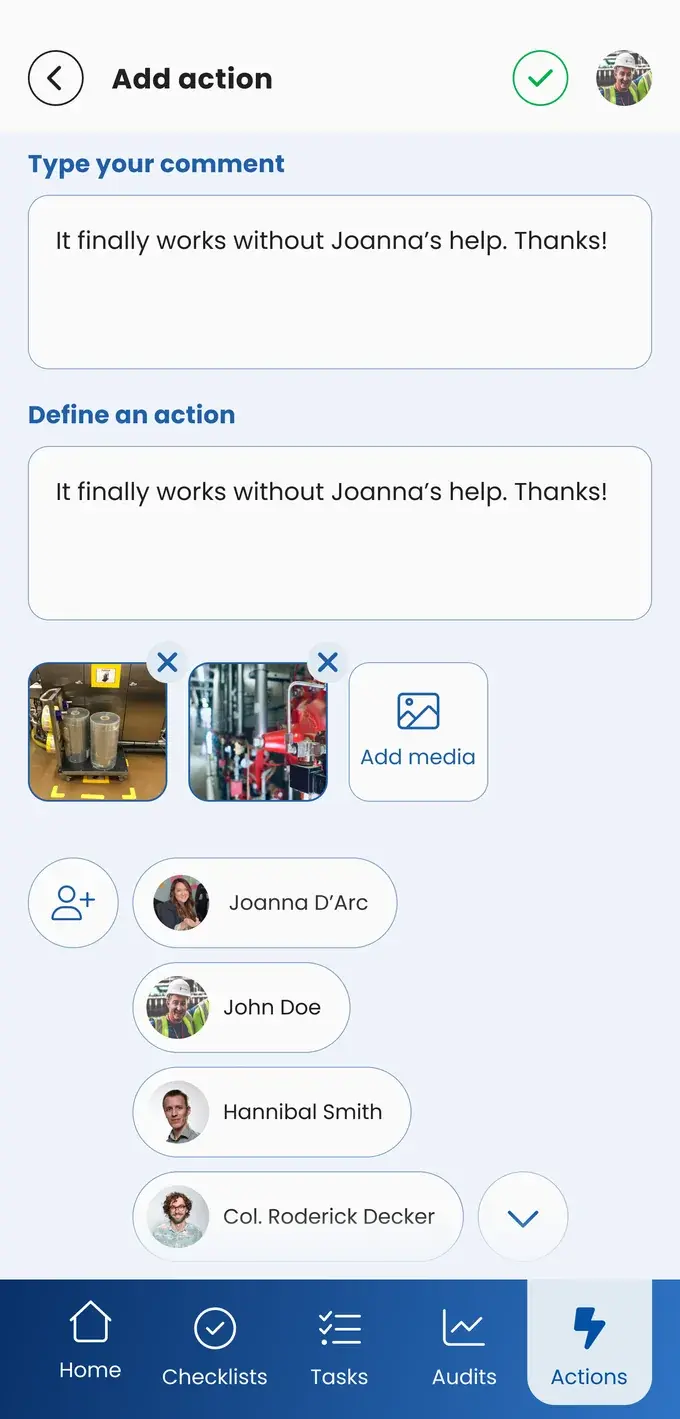
When you see a problem or an unsafe situation, or you have an idea, you report it in the EZ-GO app with a photo. You stay the owner of the report and can follow its status. At Uzimet, for example, only the person who reported an action can close it, so it stays open until the problem is really solved. You involve the people whose help you need, and they get an email. Read how reports lead to a better standard on the Continuous improvement page, and how safety reports work on the Safety page.

New report with photos in the EZ-GO app

You help decide what the standard is

The people who do the work often know the best way of working. In many plants, operators help build the work instructions and checklists in the EZ-GO platform. At Svedex, the team leader knew exactly where the expertise was in his team, and together they built every checklist, task, and instruction, step by step.

Checklist with steps in the EZ-GO app

What your colleagues do with it

Team leaders

Team leaders see your reports. They discuss open actions in the daily meeting; read more on the Daily management page.
Maintenance technicians

Maintenance technicians get your report about a machine and can see what you already checked.

Plant managers

Plant managers see where problems are reported, so they know where to invest.

Questions operators ask

"Is this a way to check up on me?"

The EZ-GO app is there to help you do the work right, not to watch you. Your team leader sees whether a checklist is completed, so problems are found early, and the same information shows that you did your work.

"I know how to do my job."

You do, and that is why your input matters when the instruction is written. Experienced operators often find the app unnecessary at first. At Pally Biscuits, that changed after the first time a checklist prevented a mistake. Your experience helps most where you no longer think about it: at Kvadrat Eibergen, experienced operators left out steps they found obvious, and new colleagues needed exactly those steps.

"What if the network is down?"
"I am not good with tablets."

The EZ-GO app is built for operators at the line, not for the office: photos, short steps, and your own language.

Want this on your line?

Send this page to your team leader or plant manager. In a short demo, we show them how the EZ-GO app works on the shop floor.

Or take the Shop floor Scan and see where your shop floor stands, in 2 minutes

Business case

Request the business case

We help you draw up a business case that clearly maps out the financial benefits. Leave your details and we will contact you.

We use your details to contact you about your business case. Read our privacy policy.