Skip to content

Safety steps that are followed at the line, every shift

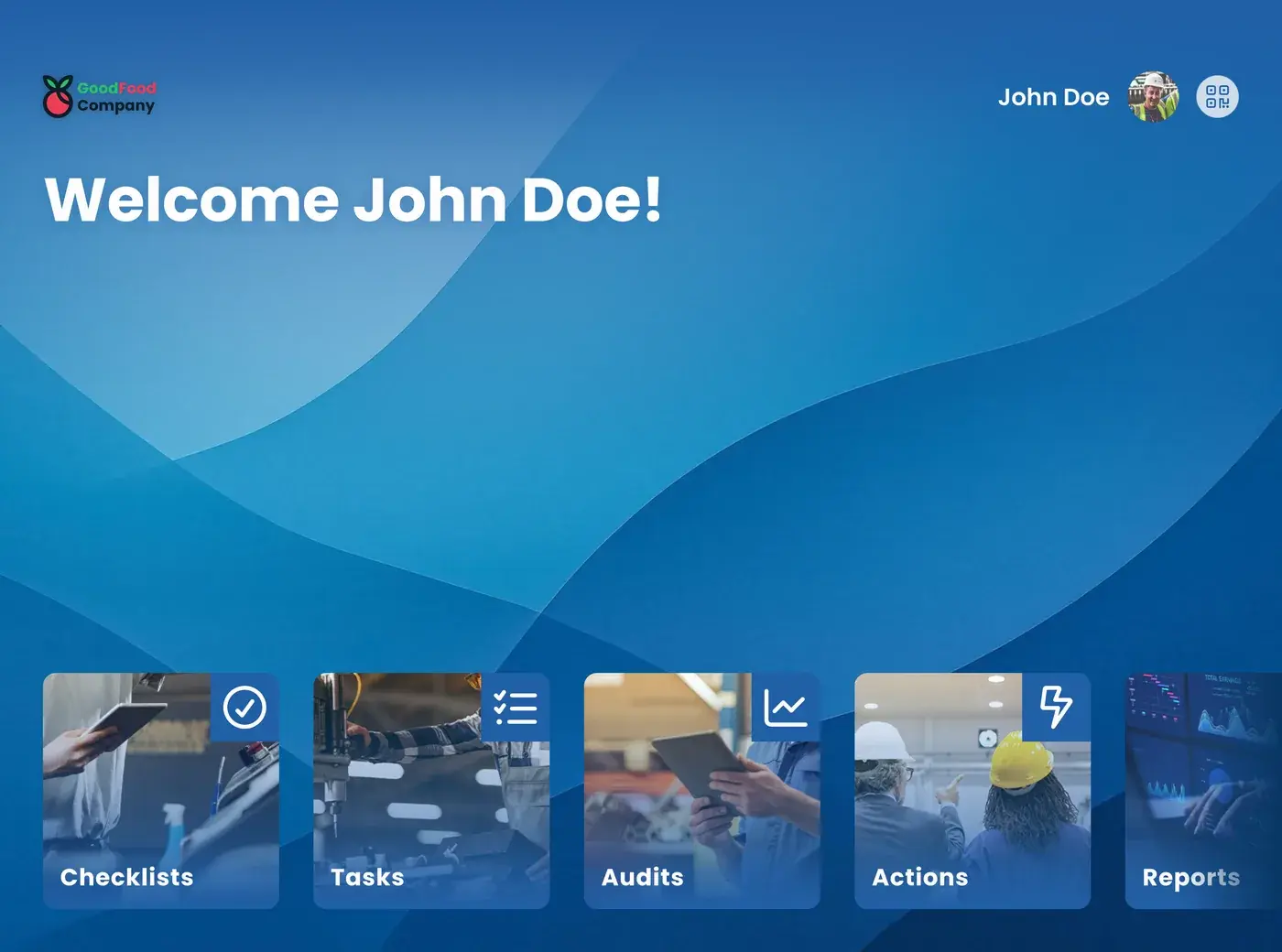
Connected worker safety: the EZ-GO app on a tablet at the line

Your safety rules are clear. The question is whether they are followed during a changeover, cleaning, or a breakdown at three in the morning. With the EZ-GO platform, the safety steps are part of the instruction and checklist the operator uses at the line, and he can report unsafe situations on the spot.

Safety procedures are in a binder, on a poster, or in a system the operator never opens. During a changeover with time pressure, a step is skipped, and nobody notices until something goes wrong.

A near miss is discussed at the coffee machine but never reported, because reporting means extra work after the shift. And a new or temporary employee learns the safe way of working from whoever happens to stand next to him. Many accidents start with behavior: a skipped procedure, too little attention to a risk, or protective equipment that is not worn. Safety awareness grows when safety is part of the daily work, more than through a one-time campaign. Read more about tools that raise safety awareness.

What changes with the EZ-GO platform

Safety rules are in a binder, not at the line

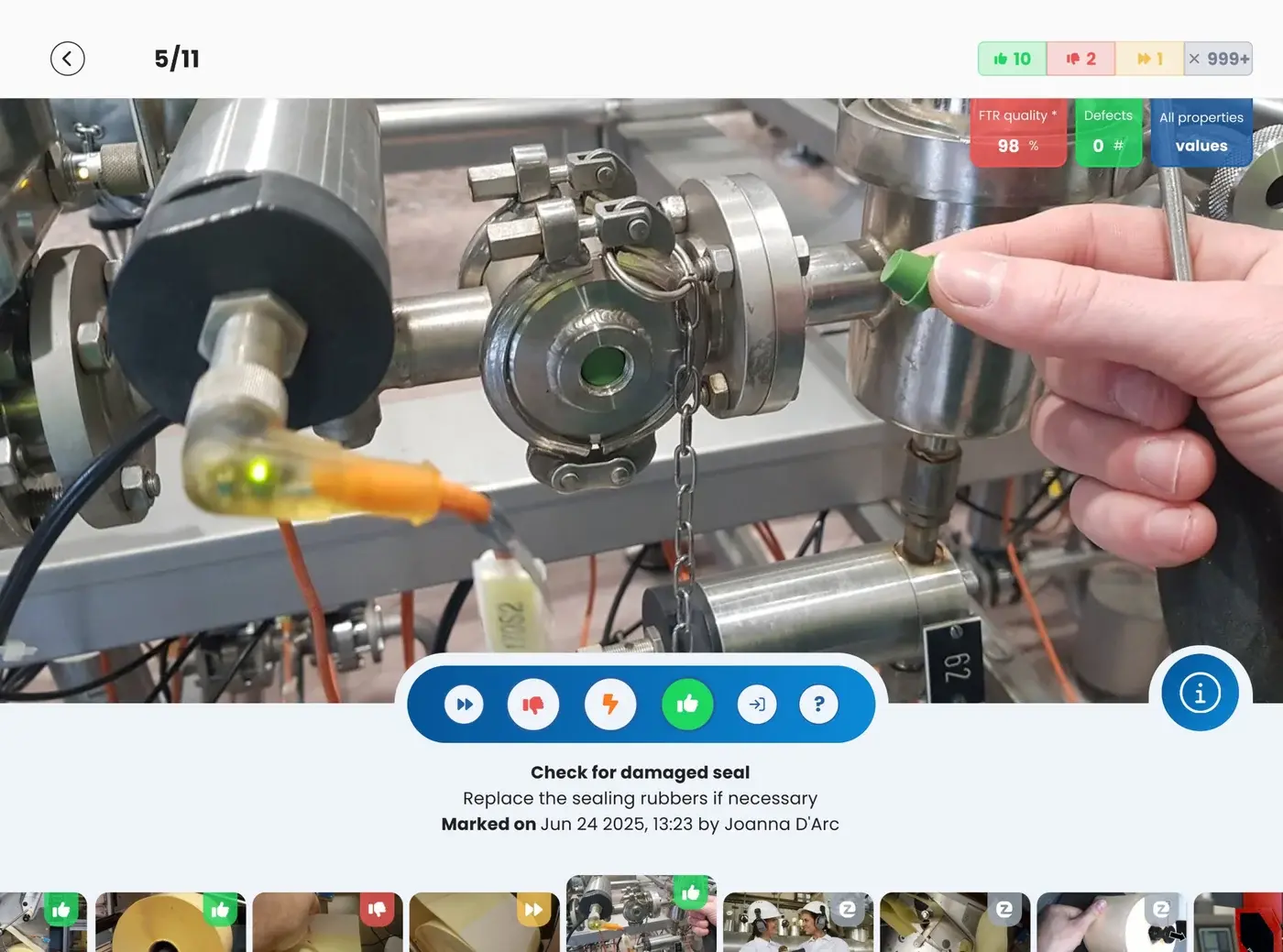
In the EZ-GO platform, the safety steps are part of the work instruction or checklist for the task itself. The operator sees them at the moment he needs them, with photos and in his own language. Critical steps can be set so that the operator confirms each one before he continues.

For maintenance tasks, for example, the lockout and tagout steps for each machine can be part of the instruction. Read more on the Maintenance technician page. Lockout and tagout can also run as a digital checklist that the technician follows step by step. Read more about digital lockout and tagout procedures.

Checklist step in the EZ-GO app

Near misses are discussed, but not reported

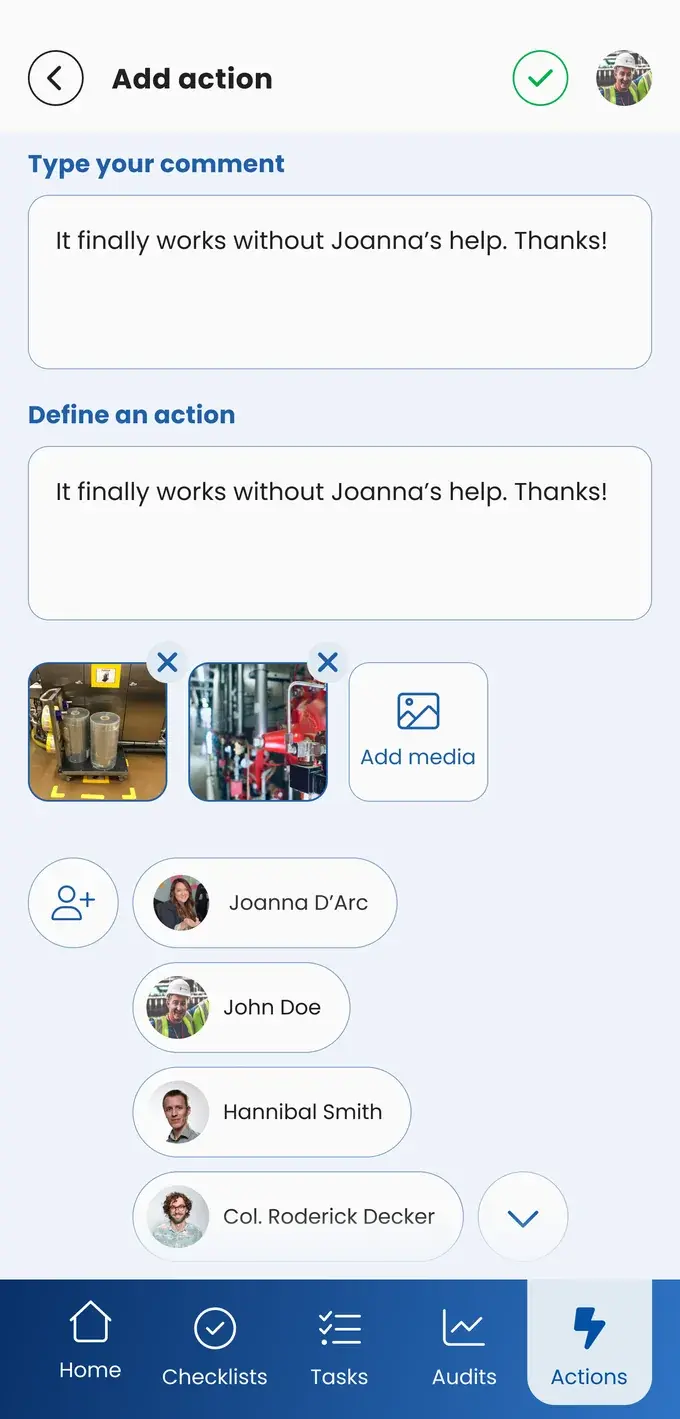
When an operator sees an unsafe situation or a near miss, he reports it in the EZ-GO app right away, with a photo. The report is linked to the process it is about, and the operator involves the people who need to act on it. They get an email. The operator who reported it can follow what happens to his report. He can also tag it, for example as a near miss, so safety reports are easy to filter later. Read how reports are followed up on the Continuous improvement page.

New report with photos in the EZ-GO app

You assume the safety rules are followed, but you do not know

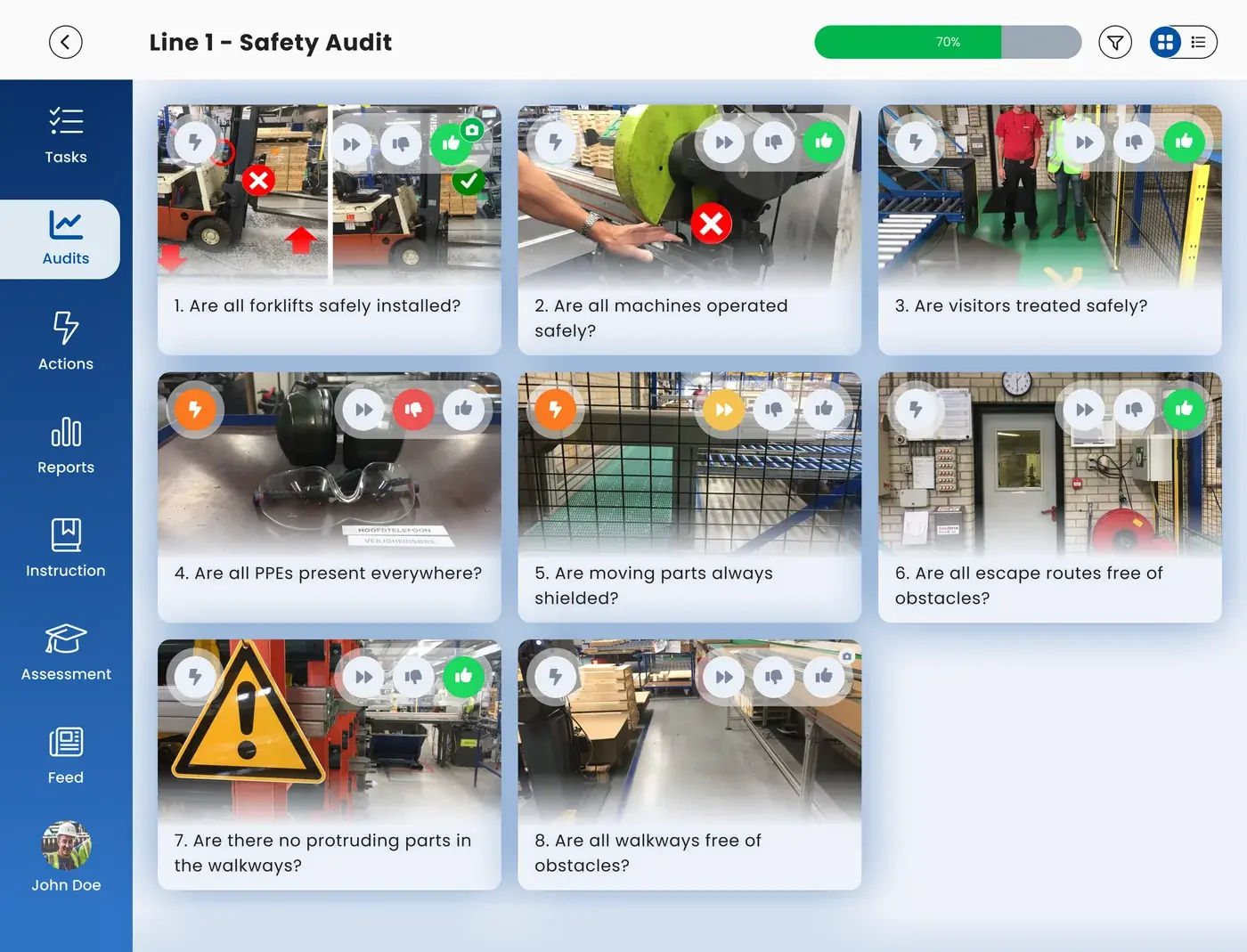
A safety audit or safety walk in the EZ-GO app checks an area against the safety standard you set, with a score for each point. Because every walk uses the same points, you see whether safety improves over time and where it needs attention. Read how scores work on the Audits and compliance page, and how to run a safety walk on the Kaizen and gemba page. For the points to check, such as guards, light curtains, and emergency stops, see this checklist for safety devices.

Audit round in the EZ-GO app

New people learn safety from whoever stands next to them

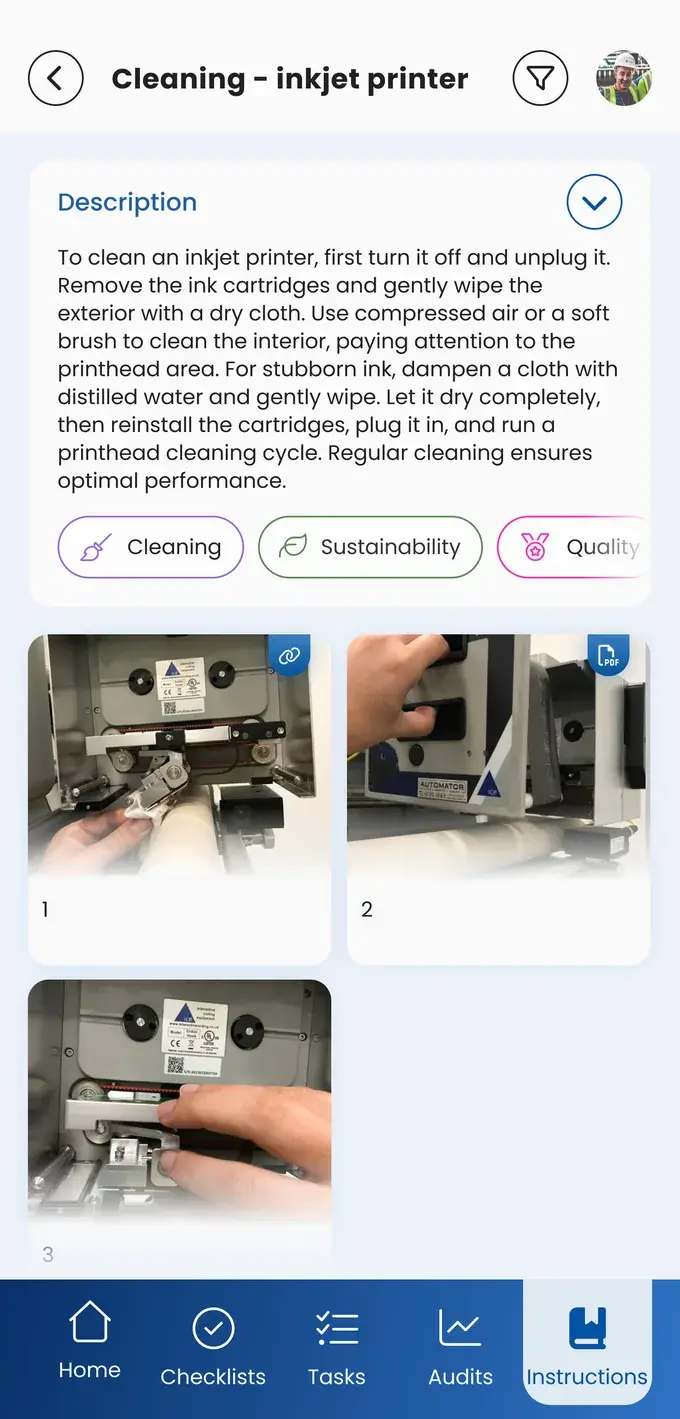
A new or temporary employee follows the same instruction as an experienced colleague, in his own language. With automatic translations, AI translates the text of an instruction into the language of the user. The digital skills matrix shows who is qualified for a critical task. Read more on the Skills and onboarding page.

Work instruction with photos in the EZ-GO app

How it works in the EZ-GO app

  1. Instruct

    The safety steps are part of the instruction or checklist for the task, with photos and in the language of the operator.

  2. Confirm

    The operator confirms the critical steps before he continues.

  3. Report

    Unsafe situations and near misses are reported in the EZ-GO app, with a photo, and the people who need to act on them get an email.

  4. Check

    Safety audits and walks show whether the safety standard holds, area by area and over time.

The EZ-GO platform is not an EHS system for incident registration, permits, or legal reporting. It brings your safety rules to the line, where the work happens, and shows whether they are followed. Read more about what health, safety, and environment covers.

In practice

Uzimet, the only lead sheet manufacturer in the Benelux, works with full protective equipment and respiratory protection. Daily and weekly inspections of critical installations, such as the dust extraction, show up in the EZ-GO app, and operators report deviations to the right person. Safety audits are done on a tablet in the factory, which according to Uzimet makes its ISO reporting simpler.

What it means for each role

You see the safety steps at the moment you need them, not in a document in the office. And when something is unsafe, you report it in a few steps and see what happens to it.
Team leaders

You know that everyone on your shift, including new and temporary colleagues, works with the same safety steps. Safety is the first topic in the daily meeting; read more on the Daily management page.

You see where unsafe situations are reported and which areas score low on safety audits, so you know where to act first.

You no longer have to assume that safety rules are followed. Audit scores and reports show it, for each area and over time.

QESH managers

QESH managers use the same audits and reports. Read more on the QESH manager page.

Schedule a demo

Frequently asked questions

What is connected worker safety?

Connected worker safety means giving operators the safety information they need while they work, on a tablet or phone, and letting them report unsafe situations right away. The term is also used for wearables that detect gas or falls. The EZ-GO platform focuses on safety procedures, checklists, audits, and reports.

How does an operator report a near miss in the EZ-GO app?

The operator creates a report in the EZ-GO app, describes the situation, and adds a photo. The report is linked to the process it is about, and the operator involves the people who need to act on it. They get an email. The operator can follow what happens to his report.

Is the EZ-GO platform manufacturing safety software or an EHS system?

The EZ-GO platform is a connected worker platform, not an EHS system. It does not replace incident registration, permits, or legal reporting. It brings safety steps into the instructions and checklists operators use at the line, and uses audits to show whether they are followed.

Can the EZ-GO app support lockout and tagout procedures?

Yes. You can describe the lockout and tagout steps for each machine as part of the work instruction, with photos, so the operator or technician sees them at the moment he needs them. The steps can also run as a digital checklist.

How do you see whether safety rules are followed?

You use safety audits and walks in the EZ-GO app. Every point gets a score, and because every audit uses the same points, you can compare areas and see how safety develops over time. With the EZ-GO reporting pack and Power BI, you see the results in one dashboard.

Do you know whether your safety steps are followed?

In a short demo, we show you how safety steps, reports, and safety audits work in the EZ-GO app.

Or take the Shop floor Scan and see where your shop floor stands, in 2 minutes

Business case

Request the business case

We help you draw up a business case that clearly maps out the financial benefits. Leave your details and we will contact you.

We use your details to contact you about your business case. Read our privacy policy.